IPTV for Smart TV: Complete Guide to Setup, Features, Pricing & Best Options in 2026
Learn how IPTV for Smart TV works, how to set it up, what features to look for, pricing, compatible devices, benefits, and safe alternatives in 2026.
Introduction
Watching television has changed significantly over the last few years. Instead of relying only on traditional cable or satellite packages, viewers can now use internet-based services to access live channels, movies, sports, news, and on-demand entertainment directly on connected televisions.
This is where IPTV for Smart TV becomes useful.
IPTV, or Internet Protocol Television, delivers television content through an internet connection rather than a traditional broadcast, cable, or satellite signal. Depending on the service, users may be able to watch live television, replay programs, access video-on-demand libraries, or use cloud DVR features.
For learners, freelancers, startups, small-business owners, and everyday viewers, Smart TV IPTV can provide a convenient way to organize entertainment without adding unnecessary hardware. However, compatibility, streaming quality, pricing, content licensing, privacy, and service reliability should all be considered before subscribing.
This guide explains what IPTV for Smart TV means, how it works, what to look for in 2026, how to install compatible services, and how to avoid unreliable or potentially unauthorized providers.
Quick Answer: What Is IPTV for Smart TV?
IPTV for Smart TV means watching television content delivered over an internet connection on a compatible Smart TV.
You generally need:
A compatible Smart TV
A reliable internet connection
A legitimate IPTV or live-TV streaming service
The service's official Smart TV application, where available
An active subscription or free account, depending on the service
Popular legal streaming platforms can support Smart TVs from brands such as Samsung, LG, Sony, VIZIO, Hisense, and other supported platforms. Compatibility varies by service and TV model.
For example, YouTube TV officially supports selected Samsung, LG, VIZIO, Hisense, Sharp, Sony, Android TV, Google TV, Roku, Fire TV, and other devices.
What Is IPTV for Smart TV?
IPTV stands for Internet Protocol Television.
Traditional television can use cable lines, satellite signals, or terrestrial broadcasts. IPTV instead uses internet protocols to deliver video content to the viewer.
A Smart TV makes this particularly convenient because many modern televisions already have an operating system, internet connectivity, and an app marketplace.
Instead of connecting a separate cable box, a viewer can often:
Connect the Smart TV to the internet.
Open its official app store.
Search for the streaming provider's application.
Install the application if supported.
Sign in.
Select live or on-demand content.
However, the term "IPTV" does not automatically mean that a service is legal or illegal. The important question is whether the provider has appropriate rights or licenses to distribute the content in your location.
IPTV vs Traditional TV
The biggest difference is how content reaches your television.
Traditional cable and satellite services depend on dedicated distribution infrastructure. IPTV and internet TV use an internet connection.
This can make internet-based television more flexible, but your viewing experience becomes more dependent on your network quality, device compatibility, application performance, and the provider's infrastructure.
Why IPTV for Smart TV Matters in 2026
Smart TVs have become increasingly important as entertainment hubs.
Rather than using a television only for traditional broadcasts, users can access streaming applications, live television, video-on-demand services, music, gaming, and other internet-connected experiences from one device.
In 2026, viewers are also more conscious about:
Subscription costs
Device compatibility
4K and HDR support
Streaming reliability
Privacy
App availability
Multi-device access
Cloud DVR
Content licensing
Ease of cancellation
This makes choosing the right IPTV or internet-TV service more important than simply choosing the provider with the largest channel list.
A smaller, legitimate service that works reliably on your Smart TV may provide a better experience than an unverified provider advertising an unrealistic number of channels.
Key Benefits of IPTV on Smart TV
1. Simple Setup
When a provider has an official Smart TV application, setup can be relatively straightforward.
For example, Sling explains that compatible Smart TVs can install or access its application directly, depending on the television model.
2. No Separate Cable Box
A compatible Smart TV can potentially handle the application and streaming experience without requiring a traditional television receiver.
3. Live and On-Demand Entertainment
Many internet-TV services combine live channels with on-demand programming.
This allows viewers to switch between scheduled television and content they can start whenever they want.
4. Flexible Viewing
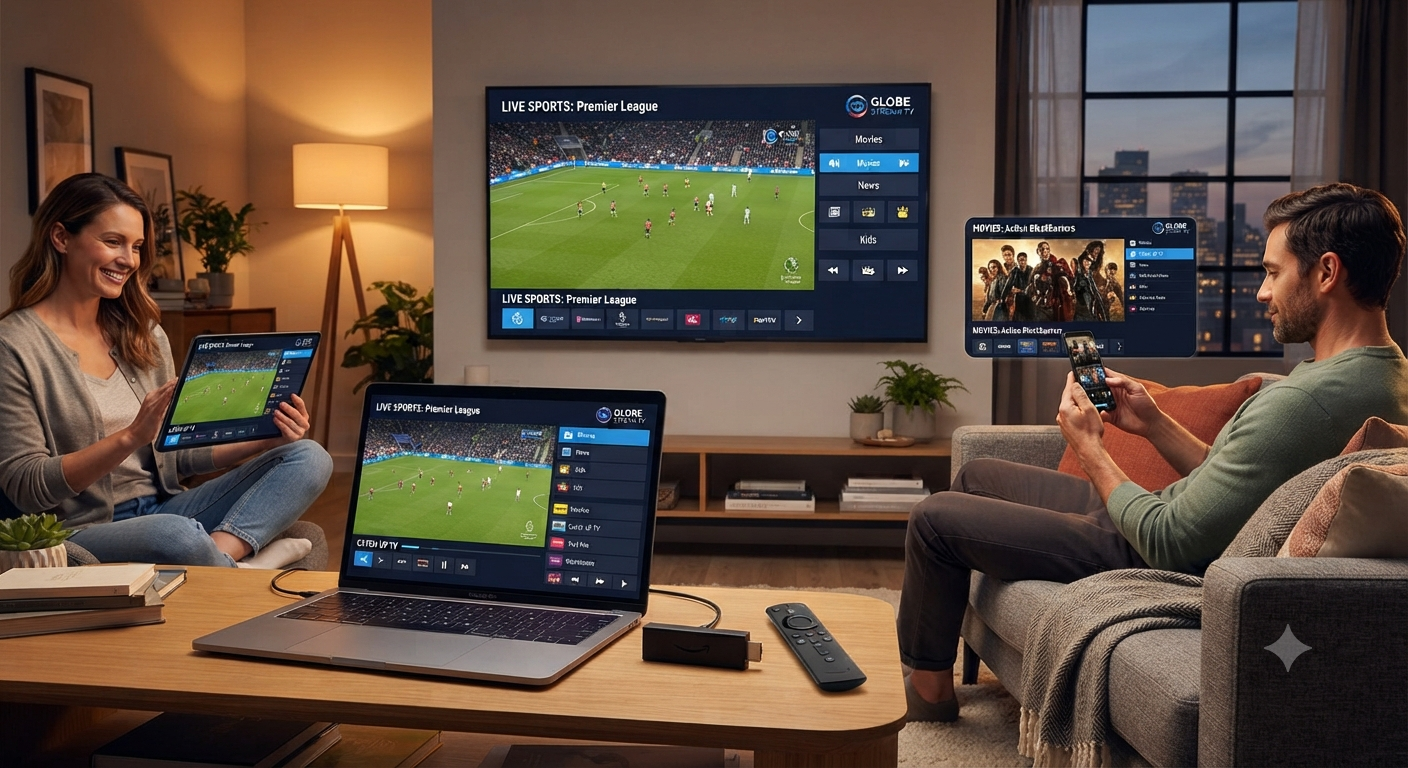
Many services support multiple device categories, allowing users to move between televisions, phones, tablets, computers, and streaming devices.
5. Better Integration
Smart TV applications can integrate directly with the television interface, remote control, search functions, and sometimes voice-control features.
6. High-Quality Streaming
Some services offer HD, Full HD, or 4K content where available.
However, 4K streaming requires compatible hardware, content, and sufficient internet bandwidth. Sling, for example, states that its 4K streaming requires at least 20 Mbps per stream.
Top Providers and Tools for Smart TV Streaming
The best option depends heavily on your country, Smart TV operating system, preferred channels, sports requirements, budget, and content availability.
YouTube TV
YouTube TV is a major live-TV streaming platform with support for numerous Smart TV and streaming-device ecosystems.
Its official device information includes selected Samsung and LG Smart TVs, VIZIO, Hisense, Sharp, Sony, Android TV, Google TV, Roku, Fire TV, and other compatible platforms.
Best for: Viewers looking for a mainstream live-TV platform with broad device support.
Sling TV
Sling TV is another established internet-based television service. It supports Smart TVs and streaming devices including selected Samsung, LG, VIZIO, Android TV, Roku, Fire TV, and other platforms.
Sling also provides different package approaches, making it useful for viewers who want more flexibility than traditional cable packages.
Best for: Flexible live-TV viewing and users who want multiple package choices.
Hulu + Live TV
Hulu + Live TV combines live television with Hulu's on-demand entertainment ecosystem.
Best for: Users who want live television together with a broader on-demand entertainment package.
Fubo
Fubo is particularly relevant to viewers interested in live sports and television programming.
Best for: Sports-focused households, depending on local availability and package options.
Official Smart TV Apps
The most important "tool" may simply be your Smart TV's official application store.
Before purchasing any IPTV subscription, search your TV's app marketplace for the provider's official application. If the provider does not have a compatible official application, check whether it officially supports your operating system through another method.
Features to Look For
When comparing IPTV for Smart TV services, focus on useful features rather than impressive marketing claims.
Live TV
Check whether the service offers the channels you actually watch.
Video on Demand
A strong VOD library can make a service more useful when you do not want to follow a broadcast schedule.
4K Support
If you own a 4K television, verify that the service actually offers 4K content and that your specific device supports it.
Electronic Program Guide
An EPG makes it easier to browse live channels and understand what is currently playing.
DVR
Cloud DVR can be useful for recording programs and watching them later.
Multi-Device Support
If you have multiple televisions or regularly travel with a laptop or phone, check the provider's device limits.
App Stability
A service with thousands of advertised channels is not useful if the application constantly crashes or buffers.
Customer Support
Reliable support can make troubleshooting significantly easier.
IPTV for Smart TV: Pricing Considerations
Pricing differs by country, provider, package, taxes, promotions, and available content.
Instead of choosing a service based only on its monthly price, calculate the total value.
Consider:
Monthly subscription cost
Installation requirements
Additional hardware
Premium-channel charges
DVR fees
Multi-screen charges
Taxes
Cancellation terms
Trial conditions
Mainstream live-TV services can cost considerably more than basic streaming subscriptions because they typically bundle live channels and other features.
Be especially cautious with services promising hundreds or thousands of premium channels for an unusually low price. A very low price does not prove that a service is unauthorized, but it is a reason to investigate its licensing, company information, refund policy, and reputation before paying.
Best IPTV for Smart TV: Who Is It Best For?
Best for Learners
Learners may prefer affordable services with simple applications and educational or general-interest programming.
Best for Freelancers
Freelancers often need flexible entertainment options without complicated installation. A Smart TV app can be useful because everything can be controlled from the television.
Best for Startups
Startups can use Smart TVs for office waiting areas, break rooms, presentations, or background news, provided the service's licensing permits the intended commercial use.
Best for Small Business Owners
Business owners should pay special attention to commercial viewing rights. A consumer subscription may not automatically grant permission to display content publicly in a workplace, restaurant, hotel, or business environment.
Best for Families
Families should look for parental controls, multiple profiles where supported, simultaneous-stream policies, and content variety.
Pros and Cons
Pros
Convenient internet-based television
Smart TV apps can simplify setup
Access to live and on-demand programming
Potential support for HD and 4K
Less dependence on traditional cable equipment
Flexible viewing across supported devices
Easy integration with modern TV platforms
Cons
Requires a reliable internet connection
Compatibility varies by Smart TV model
Some services have geographic restrictions
4K content may require additional bandwidth
Subscription prices can change
Unverified IPTV services may present legal or security risks
Consumer subscriptions may not be suitable for commercial viewing
How to Set Up IPTV on a Smart TV
The exact process depends on your television and provider, but the general process is simple.
Step 1: Check Your Smart TV
Identify your television's brand, model, and operating system.
Older Smart TVs may have limited application support.
Step 2: Test Your Internet
Run a speed test from your home network.
For HD streaming, a stable connection is generally more important than simply having a high maximum speed. For 4K, higher bandwidth is normally required.
Step 3: Find the Official App
Open your TV's official application store and search for the service.
Avoid downloading suspicious APK files or installing applications from unknown sources simply because they promise access to premium content.
Step 4: Install and Sign In
Install the legitimate application, open it, and sign in with your account.
Step 5: Test Several Channels
Do not judge a service only by its homepage. Test live channels, on-demand content, search, subtitles, and video quality.
Step 6: Check Playback Stability
Watch for:
Buffering
Audio/video synchronization problems
App crashes
Long loading times
Resolution drops
If problems occur repeatedly, investigate your network and the provider before committing to a long-term subscription.
Common Problems With IPTV on Smart TV
Buffering
Buffering can result from network congestion, weak Wi-Fi, overloaded provider infrastructure, or insufficient bandwidth.
Try using Ethernet when possible, moving closer to your router, restarting networking equipment, or reducing other network activity.
App Not Available
Your TV may not support the provider's application.
In that situation, check the provider's official compatibility list before purchasing additional equipment.
Poor Picture Quality
Check your internet connection, TV settings, content resolution, and service limitations.
App Crashes
Keep the TV firmware and streaming application updated. Sling, for example, provides specific update instructions across supported platforms.
Best Alternatives to IPTV for Smart TV
If IPTV does not meet your needs, several alternatives are available.
Traditional Cable TV
Cable remains useful for households that want bundled television and internet services from one provider.
Satellite TV
Satellite can be useful in locations where reliable high-speed internet is unavailable.
Free Ad-Supported Streaming
Some legitimate services provide free television and on-demand content supported by advertising.
OTA Antenna
In supported locations, an over-the-air antenna can provide local broadcast channels without a monthly television subscription.
Individual Streaming Services
Netflix, Disney+, Prime Video, Max, and similar services can be better for viewers who mainly watch on-demand movies and shows rather than live television.
Future Trends for Smart TV IPTV
The Smart TV market is likely to continue moving toward software-based entertainment.
Important trends include:
More 4K and HDR Content
As compatible televisions become more common, higher-resolution streaming should continue expanding.
Smarter Recommendations
Streaming platforms increasingly use personalized recommendations to help users discover relevant content.
Better Cross-Device Viewing
Users increasingly expect to start watching on one device and continue on another.
Cloud-Based Features
Cloud DVR, profiles, synchronized watchlists, and personalized recommendations can reduce dependence on traditional television hardware.
More Aggregated TV Experiences
Smart TV operating systems are increasingly becoming central entertainment hubs where users can search across multiple services from one interface.
How to Choose the Right IPTV Service
Before subscribing, use this checklist:
Verify legality and licensing.
Check Smart TV compatibility.
Review available channels in your country.
Compare the total subscription cost.
Check HD and 4K availability.
Review simultaneous-stream restrictions.
Look for transparent company information.
Read the cancellation and refund policy.
Avoid suspicious payment requests.
Test the service before committing to a long-term plan when a legitimate trial is available.
A trustworthy provider should make important information reasonably clear instead of relying exclusively on exaggerated channel-count claims.
FAQs About IPTV for Smart TV
What is IPTV for Smart TV?
IPTV for Smart TV is television content delivered through an internet connection and viewed on a compatible Smart TV using an application or supported streaming platform.
Can I use IPTV directly on a Smart TV?
Yes, if the provider supports your television's operating system and offers a compatible application or officially supported setup method.
Does IPTV require internet?
Yes. Internet-based IPTV requires an internet connection. The required speed depends on resolution, service requirements, network conditions, and the number of simultaneous streams.
Can I watch 4K IPTV on a Smart TV?
Yes, when both the Smart TV and service support 4K. You also need sufficient bandwidth and compatible content. Some providers have specific minimum requirements for 4K streaming.
Is IPTV legal?
IPTV is a technology, not inherently illegal. The legality depends on the content being distributed and whether the provider has the necessary rights or licenses.
What Smart TVs support IPTV?
Compatibility depends on the provider. Many services support selected Samsung, LG, Sony, VIZIO, Hisense, Android TV, Google TV, Roku, and other platforms. Always check the provider's current compatibility list.
Can I use IPTV without a Smart TV?
Yes. A compatible streaming device such as a supported Fire TV, Roku, Apple TV, Chromecast, or Android TV device may provide access when the television itself does not support the required application.
Why does IPTV buffer on my Smart TV?
Possible causes include weak Wi-Fi, network congestion, insufficient bandwidth, device limitations, application problems, or issues on the provider's side.
Is Wi-Fi good enough for IPTV?
Wi-Fi can work well if the signal is strong and the network is stable. Ethernet can provide a more consistent connection when buffering occurs.
Can I use one IPTV subscription on multiple TVs?
That depends entirely on the provider's terms. Some services allow multiple devices but restrict the number of simultaneous streams.
Is IPTV better than cable?
It depends on your needs. IPTV can offer flexible internet-based access and Smart TV integration, while cable may provide predictable channel packages and bundled services.
What should I check before buying IPTV?
Check legality, Smart TV compatibility, channel availability, video quality, pricing, device limits, refund policies, customer support, and the provider's reputation.
Conclusion
IPTV for Smart TV can be a convenient alternative to traditional television when you choose a compatible and legitimate service. Modern Smart TVs make internet-based entertainment easier because many services can be accessed directly through official applications without requiring a traditional cable box.
The best choice is not necessarily the provider advertising the biggest channel count. Instead, look at compatibility, content availability, streaming reliability, picture quality, pricing, customer support, device limits, and licensing.
For learners, freelancers, startups, and small-business owners, the right Smart TV streaming solution can provide flexible access to entertainment and live programming while keeping setup relatively simple.
Before subscribing, verify that the service is authorized to distribute the content you want to watch and that its terms permit your intended use. A little research before purchase can help you avoid unreliable services and create a much better Smart TV streaming experience.
Author Bio
About the Author:
The author is an SEO content strategist and technology-focused writer who researches streaming technology, Smart TV platforms, digital entertainment, and consumer technology. Content is developed with an emphasis on practical guidance, transparent comparisons, user experience, and responsible recommendations.




Write a comment ...